
Single-user or multi-user. Monthly, yearly or three-year. Before you buy AutoCAD for your team, get the license type and plan length right — so you're not overpaying or under-licensed.
 AutoCAD · Autodesk
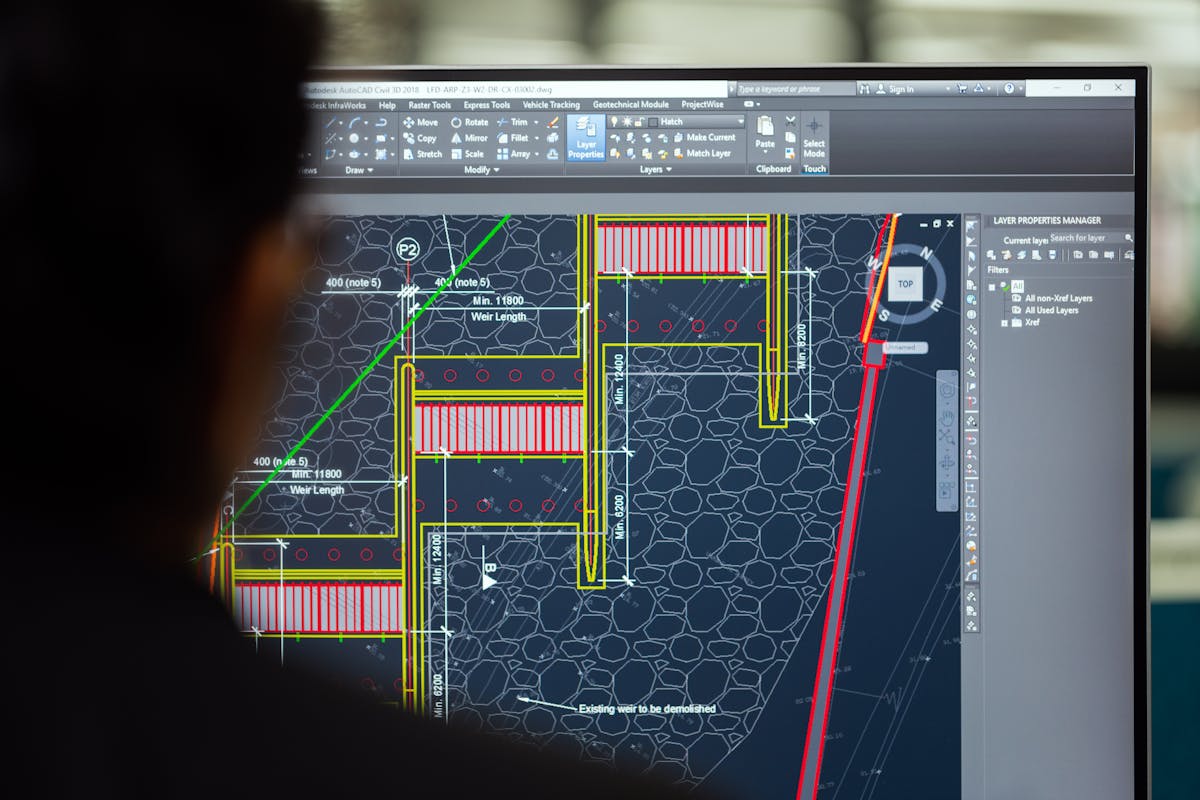
AutoCAD is an Autodesk product used for 2D drafting and 3D design. Architects plan buildings with it, mechanical engineers design parts and machines, and construction teams lay out sites. It sits at the core of architecture and construction, mechanical design, and general engineering work.
The business case is simple: manual drafting takes hours and invites costly mistakes. AutoCAD lets teams create, edit and share drawings in minutes, catching errors before they turn into rupees lost on-site. Multiple people can work on the same project file, which matters for firms running large projects across departments.
Before you buy an AutoCAD license, understand the two main access formats — plus the difference between a personal and a commercial license.
One person, one device. Works well for freelancers or small teams with one or two designers.
A shared pool of licenses used on a first-come basis — ideal when staff don't all need AutoCAD at once.
Required for any business using AutoCAD to generate revenue. Personal or student versions don't qualify and can lead to fines.
Autodesk sells AutoCAD only through subscriptions — there's no one-time purchase anymore. An AutoCAD subscription can be bought monthly, yearly, or for three years, and the AutoCAD software price depends on the term length and number of users.
| Plan Length | Best For | Trade-off |
|---|---|---|
| Monthly | Short-term projects, temporary teams | Highest cost per month, most flexible |
| Yearly | Businesses with steady, ongoing work | Lower AutoCAD subscription price than monthly |
| 3-Year | Companies planning to use AutoCAD long-term | Best overall value, needs upfront planning |
Multi-user plans lower the average price per license since businesses buy in bulk. It always helps to compare AutoCAD price options against your actual team size and project needs before you commit — ask your reseller for a detailed quote.

Some businesses stick with an old license for too long, which slows down work and limits access to new tools. Watch for these signs that it's time to review your plan:
AutoCAD for business isn't one-size-fits-all. Match the license to your team size, project type, and how often each person will use the software.
Small firms rarely need advanced multi-user bundles unless they run many active designers.
Several projects run at once and multiple engineers may need access the same week — a shared pool keeps costs down.
Firms handling building plans, structural drawings and site layouts benefit from AutoCAD plus specialty toolsets at a lower combined price.
Drafting tools support part design, assembly drawings and manufacturing layouts — check if a toolset bundle is worth it.
Modern AutoCAD plans include automated drafting tools, layer management, and cloud storage for project files, plus specialized toolsets for architecture, mechanical design and electrical work depending on the plan.
Mobile and web apps let team members view and mark up drawings from a phone or tablet — useful for site engineers who need to check plans without carrying a laptop. Cloud collaboration lets remote teams work on the same file without email delays.
List which features your team actually uses first. Some plans bundle extra toolsets a firm may never touch — check the feature list before you buy so you're not paying for tools that sit unused.

Five checks that keep you from overpaying — or from ending up under-licensed.
Only pay for the people who will use AutoCAD regularly.
Architecture, mechanical and general drafting work may need different toolsets.
Longer terms lower the price but need upfront planning.
Multi-user plans work better for teams that share seats.
Make sure your business qualifies for commercial use, not personal use.
Talk to an authorized reseller — we'll review your team's workflow and suggest the right plan size.
Talk to an Expert →
Buying AutoCAD software India-wide comes with a real advantage: local support. An authorized reseller based in India understands local pricing, tax rules and business needs, and can support you in your time zone.
Local resellers help with setup, training and renewals too — support that matters most in the first few weeks, when teams are still learning the software. Working with a local, authorized partner also gives you a single point of contact for billing, license management, and upgrades every year.
The safest choice is to purchase AutoCAD for commercial use from an authorized reseller who works directly with Autodesk. That guarantees genuine software, proper licensing and ongoing support — plus Autodesk updates, technical help and training resources that pirated copies simply don't offer.
Autodesk regularly audits companies for software use. A valid, traceable license protects your business from fines and legal issues, while unauthorized copies put your data and compliance at risk.
Wastes money on licenses that sit unused.
The cheapest plan may not include what your team actually needs.
An unauthorized seller can mean fake or unsupported software.
A missed renewal can stop your team's work mid-project.
Businesses must hold a commercial license, not a personal or student one.
Team size and project needs should drive the plan, not guesswork.
It depends on your team size and project type. Small teams often do well with a single-user yearly plan. Larger teams with shared workloads should look at multi-user commercial licenses.
Pricing depends on the plan length, number of users, and any bundled toolsets. Yearly and three-year plans usually cost less per month than monthly plans.
No. Businesses must use a commercial license. Personal and student licenses aren't meant for commercial work and may violate Autodesk's terms.
Only buy from Autodesk directly or from an authorized reseller. Unofficial sellers often offer pirated copies, which put your business at legal and security risk.
Not always. If your designers use AutoCAD at different times, a smaller multi-user pool can still work. An authorized reseller can help you calculate the right number of seats.
Share your team size and project type — we'll recommend the right license format and plan length, and send a price within 4 business hours.